10 Yoto Hacks You Really Need to Know (That Make Life Easier for Parents!)
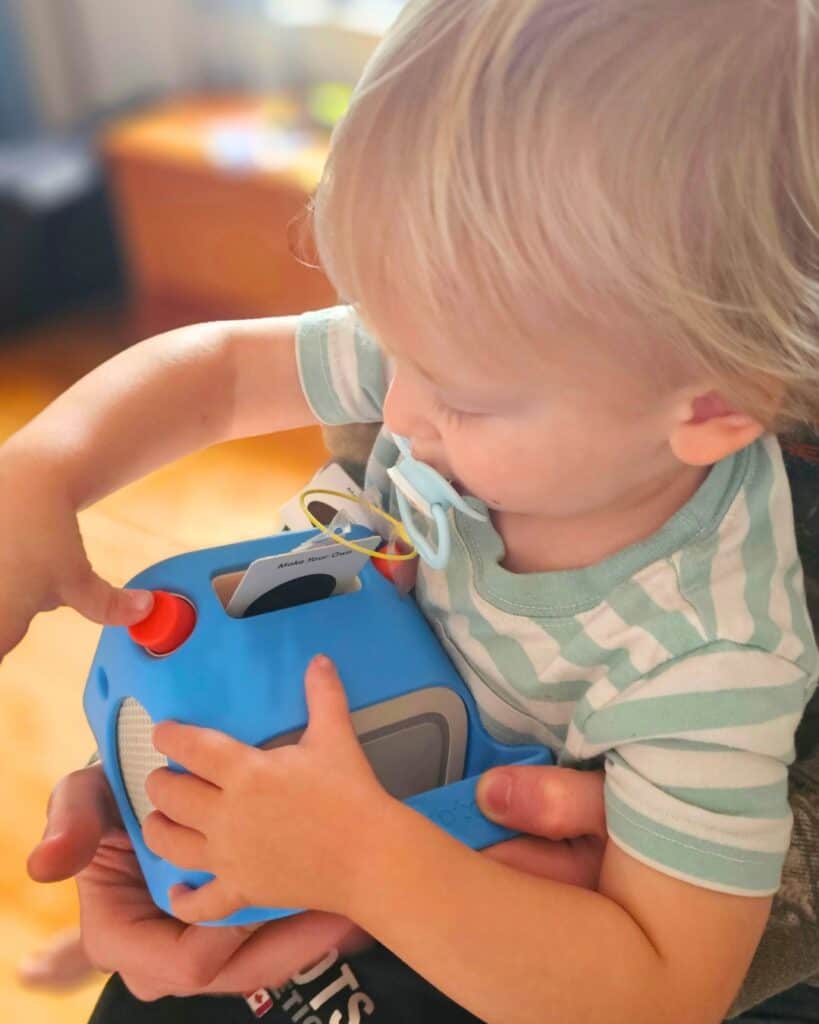
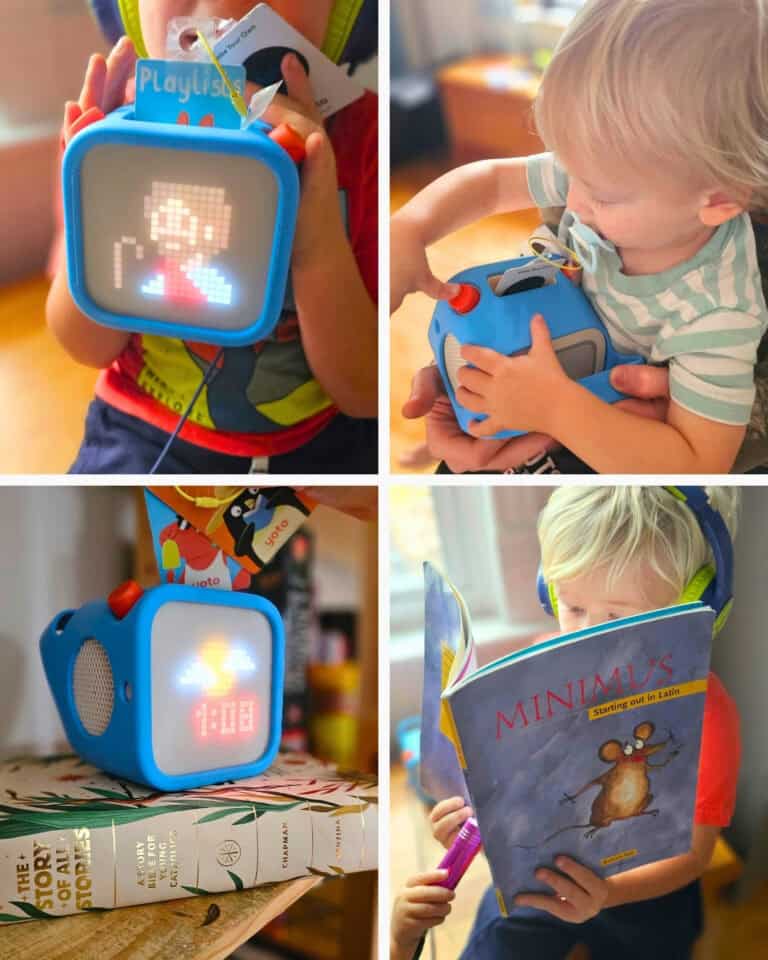
If you have a Yoto Player in your home, you probably already know how much children love popping in a card and listening to their favourite stories, music, and podcasts. But did you know there’s so much more you can do with it?
We’ve been looking at some of the clever ways to get even more out of our Yoto Players, and there are a few features and tricks that every parent should know about!
From creating your own audio cards to using Yoto for homeschool memory work, these little hacks can turn an already wonderful audio player into an incredibly useful family resource.
Here are 10 Yoto hacks worth trying!
1. Make Your Own Memory Work Cards for Homeschool
This might be one of my favourite ways to use a Yoto Player!
If you’re a homeschooling family, you know how much time we spend practising multiplication tables, memorising poetry, learning historical dates, and reviewing facts. Why not turn some of that memory work into audio cards?
Using the Make Your Own feature, you can record your own audio files and turn them into cards your children can listen to whenever they like.
Here are a few ideas:
- Multiplication tables and division facts
- Poetry and favourite verses
- Historical dates and important events
- Scripture passages
- Catechism questions and answers
- Latin vocabulary
- Geography facts and state or province capitals
- Foreign language vocabulary
You could even create a whole collection of memory work cards for your morning basket!
The best part? Children can listen independently while drawing, playing quietly, or enjoying some downtime. A little repetition throughout the week can go a long way.
2. Record Grandma Reading a Bedtime Story
Here’s a lovely idea that I think makes Yoto even more special.
Ask Grandma, Grandpa, Mum, or Dad to record themselves reading a favourite bedtime story. You can then turn that recording into a Make Your Own card.
Imagine your child being able to pop in a card and hear Grandma reading their favourite story, even when she lives far away!
You could record:
- Favourite picture books
- Bedtime prayers
- Traditional nursery rhymes
- Family stories and memories
- A special goodnight message
Grandparents can even get involved from a distance by joining your Yoto family account and recording their own audio.
These recordings are more than just another audiobook. They’re little family keepsakes that children can enjoy over and over again.
3. Turn Almost Any Audio File into a Yoto Card
Make Your Own cards are probably the most useful Yoto accessory you can buy.
You aren’t limited to recording your own voice. You can also upload MP3 files and create playlists from your own audio collection.
Think audiobooks, music, educational recordings, poetry, and other audio files you already have.
You can organise multiple recordings into one playlist, with individual tracks for each story or subject. Yoto currently allows up to 100 tracks per Make Your Own card, with a maximum of one hour per track.
Even better, MYO cards can be reused! If you want to change the contents, simply create a new playlist and link it to the same card.
4. Give Your Make Your Own Cards Their Own Labels
Once you start making your own cards, things can get a little confusing!
A plain white card doesn’t tell you whether you’re about to listen to multiplication tables, The Wind in the Willows, or Grandma’s bedtime stories.
My suggestion? Get yourself some little stickers or labels! It doesn’t have to be fancy, but if you want to be organized with it and have them look cute, I would recommend these printable 2×3″ labels that are glossy and permanent!
You can use small round labels, printable sticker paper, or a label maker to identify your cards. Add a simple picture or title so even younger children can find exactly what they’re looking for.
Some ideas for organising your cards:
- Morning Basket
- Memory Work
- Bedtime Stories
- Favourite Songs
- Bible Stories
- Road Trip Collection
You could even colour-code your cards by subject.
Helpful accessory: [Insert link to printable Yoto card labels or sticker labels.]
5. Explore the Free Audio in the Yoto App
Did you know you don’t need to buy a new card every time you want something different to listen to?
The Yoto app includes a selection of free audio content, including podcasts, radio stations, sleep sounds, and other audio.
It’s worth taking some time to explore the app and see what’s available.
You can also add supported audio from the app to your Make Your Own playlists, so your children can access their favourites using a physical card.
It’s a lovely way to expand your listening library without constantly purchasing new cards!
6. Use Your Yoto as a Bedtime Helper
The Yoto Player is so much more than an audiobook machine. It can be a wonderful addition to your bedtime routine.
Depending on your model and app settings, you can use features such as:
- Sleep sounds and white noise
- Sleep timers
- A night light
- An OK-to-wake clock
- Wake-up alarms
You can set a timer so the audio stops after your child has fallen asleep, or use the clock and night light to help little ones understand when it’s time to get up.
I particularly love the idea of having a special bedtime playlist with a favourite story, gentle music, and a goodnight prayer. An older child could even do an examen.
7. Download Favourite Cards Before a Road Trip
Planning a long car ride or a family holiday? Make sure your favourite Yoto content is downloaded before you leave home. Without WIFI, you can’t just click a playlist on the app.
Yoto players can store downloaded audio for offline listening, which means your children can enjoy their favourite stories even when you don’t have an internet connection.
This is especially handy for:
- Long road trips
- Camping
- Flights
- Cottage weekends
- Travelling in areas with unreliable internet
A little preparation can save a lot of frustration when you’re halfway down the highway and someone wants to listen to their favourite story.
8. Pair Your Yoto with Bluetooth Headphones
Sometimes you need a little quiet, and sometimes your children want to listen to something without everyone else hearing it!
Bluetooth headphones can be a great accessory for Yoto, especially for travel, quiet time, and shared spaces.
Look for comfortable, child-sized headphones with appropriate volume-limiting features. You can also check the volume settings in the Yoto app.
A pair of headphones is particularly useful if you have several children sharing a room or if one child wants to listen while the rest of the family is doing something else.
Helpful accessory: bluetooth headphones.
9. Use Your Yoto as a Bluetooth Speaker
Here’s another useful feature: your Yoto can also work as a Bluetooth speaker!
Rather than using a physical Yoto card, you can connect a compatible phone or computer and play audio through the player. You do have to enable this feature in your Yoto App.
This gives you another way to enjoy music, audio recordings, and other content around the house.
It’s particularly handy when you are travelling or you want to play something that isn’t already in your Yoto library.
10. Customise Your Yoto for Your Children
One of the nicest things about the Yoto app is that it gives parents plenty of control over how the player works.
Depending on your model, you can customize settings such as the night light, volume limits, and what the buttons do. You can also use the app to manage your library, check downloaded content, and personalize the listening experience.
Take a few minutes to explore the settings. You might discover a feature that makes everyday use much easier! We really enjoy the new Groups feature for making our favourite stories easier to find, which you can learn all about in my article How to Organize Your Yoto Library With Groups.
A Few Yoto Accessories Worth Having
If you’re building your Yoto collection, there are a few accessories that are particularly useful.
- Yoto Player: The full-size player is a lovely option for bedrooms, playrooms, and everyday listening. It has a few extra features and it is way too big to lose easily, if you have a bit more of a chaotic household like meeee.
- Yoto Mini: A compact option for travel, car rides, and taking audio on the go. I like this a lot for ages 8+.
- Make Your Own Cards: Essential if you want to record your own stories, create memory work cards, or organise your own audio library. I also have the hackiest life hack for those with a little more patience and a limited budget. How to Turn Ordinary NFC cards into Yoto Cards.
- Bluetooth headphones: Great for quiet listening and travel. With the size of the yoto (even the mini) it is a little sumbersome to use non-bluetooth headphones.
- Card labels and stickers: A simple way to keep your growing collection organised.
- A card holder or storage case: Helpful for keeping all those little cards together
The wonderful thing about Yoto is that it can grow with your family. What starts as a simple way to listen to stories can become a tool for independent listening, homeschool learning, family memories, and everyday routines.
And once you start making your own cards, the possibilities are almost endless!
Be sure to check out my post 25 Ways to Use Yoto Make Your Own Cards for Homeschooling.